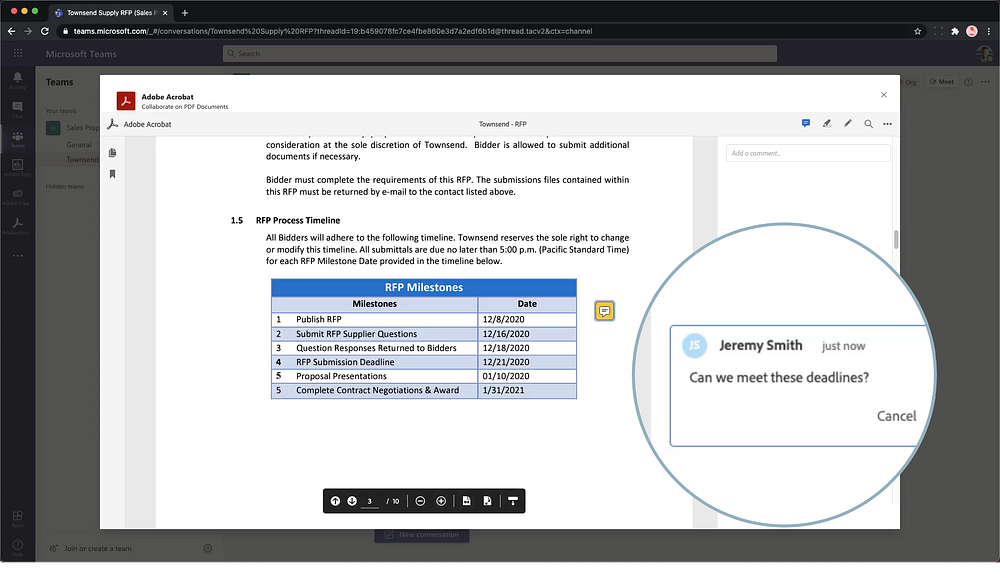
Adobe has released Adobe Acrobat for Microsoft Teams, which is available and live. Adobe Acrobat for Microsoft Teams allow you to collaborate and work with your colleagues to annotate and review PDFs without ever leaving Microsoft Teams.
For people everywhere, 2020 changed remote work from a ‘workstyle choice’ to the only choice. As if meeting deadlines wasn’t hard enough, individuals suddenly needed to re-engineer everyday processes — on the fly — to adapt to a fundamentally different way of working. In retrospect, 2020 may be the software industry’s wakeup call. Instead of delivering great functionality designed to work in its own ‘bubble’, software products should integrate better with others to remove unnecessary friction. Customers should not have to go to the software, the software should come to them — instantly accessible from the workspaces they use every day.
Join Medium for free to get updates from this writer.
Remember me for faster sign in
Many organizations have adopted Microsoft Teams to help their teams collaborate and communicate remotely. According to Microsoft, there are over 115 million daily active users of Microsoft Teams. One of the key benefits is its wealth of apps that can be used in the context of conversations. Adobe and Microsoft’s strategic partnership introduces a new way to collaborate on documents with Adobe Acrobat for Microsoft Teams, coming soon.
One workspace — all the collaboration tools you need
One of the things that people commonly collaborate on is documents. However, it often gets confusing when documents are sent for review over email and when one individual has to resolve different file versions sent by different parties. Fortunately, with Adobe Acrobat for Microsoft Teams you can streamline these workflows, remove the frustration of working together on documents and get more done, more easily, in less time.
Comment and review
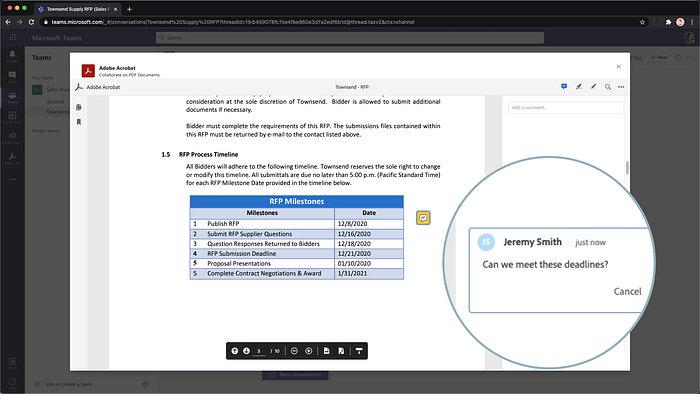
With Acrobat for Microsoft Teams, Adobe is enabling comprehensive, real-time document collaboration. For instance, multiple people can comment on and review your documents simultaneously, directly inside of Teams. Simply choose files from Teams or OneDrive, or upload one from your computer. You can open these PDFs in Microsoft Teams as high-fidelity documents, which makes reviewing design work more effortless. And you can even reply to comments with all your annotations saved automatically to the document in Teams.
Stay notified of progress
You want to know when your team reviews and adds comments, so you don’t have to keep checking yourself. Adobe Acrobat for Microsoft Teams provides you with automatic notifications when team members add comments to your PDF.
Spend less time reconciling feedback
Reviewers can view and reply to comments made by others in the context of one single document, without having different people repeat the same feedback and tracking different documents.
How to get started
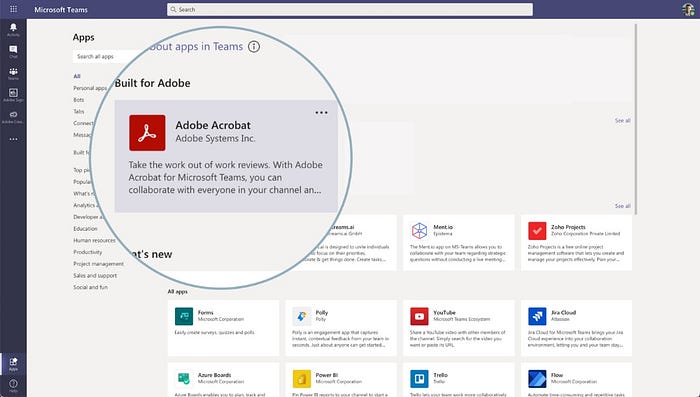
You can get started by simply going to your Microsoft Teams and search for Adobe. You will find Adobe Acrobat along with Adobe Sign, Creative Cloud, and Workfront available for you to install. If you are unable to install, ask your administrator to enable it within your organization. You will need an Adobe ID in order to take advantage of these services.
Making collaboration effortless
As 2020 comes to a close, I’d like to give a personal “hats off” to the workers who kept business moving this year — despite the many obstacles they’ve faced. People now expect software to adapt to and facilitate the new ways they need to work. The Adobe and Microsoft partnership is committed to lead that charge. Adobe Acrobat for Teams is our latest innovation, but stay tuned! 2021 is just around the corner and will bring a new series of integration updates designed to make collaboration intuitive and effortless.