It is that time again for Adobe MAX — The Creativity Conference. Adobe MAX is a uniquely immersive and engaging digital experience. This year, it is a free and virtual event and will feature live and on-demand content, including more than 400+ sessions, labs, keynotes, musical performances, special guest appearances, and a sneak peek at things being worked on in Adobe labs.
With so many fantastic sessions, we wanted to take a moment and provide you a guide to catch some of the wonderful sessions related to Adobe Document Cloud and developers. These sessions are all great ways to learn more how you can get the best out of automating and digitizing your document experiences.
Sessions
Creatives Are Not Robots: Letting Automation Do That for You
Session ID: S203Times: Tues, Oct 27th 11:30 AM — 12:00 PM PSTThu, Oct 28th 6:00 AM — 6:30 AM PST
In this session, Ben Vanderberg, Principal Developer Evangelist for Adobe, will showcase how using Adobe Creative Cloud APIs and Adobe Document Services APIs can be used to streamline creative tasks to free up creatives to do what they do best: be creative. Some of the solutions will feature Photoshop API, PDF Embed API, Document Generation API, and PDF Services API. Come and join live to ask your questions.
Link
Hidden Gems of Acrobat for Education
Session ID: S280Times: Thu, Oct 28th, 3:30 PM — 4:00 PM PST
Lori DeFurio, Principal Evangelist at Adobe, will help you learn about powerful features of Adobe Acrobat that educators, students, and staff can use to go digital, speed up processes, and create a better learning environment. The tips and tricks will have you saying, “I didn’t know Acrobat could do that!”
In this session, you’ll learn how to:
- Get work done quickly and efficiently with the top 5 Document Cloud tools
- Work with PDFs directly in Microsoft 365 and Google Drive
- Create fillable, interactive PDFs to collect assignments and information
- Grade papers and reports digitally and return them to students
- Use Liquid Mode for easier reading on your smartphone or tablet
Link
Building an Efficient Design and Approval Workflow
Session ID: L260Times: Wed, Oct. 27th 8:00 AM — 9:00 AM PSTThu Oct. 28th 11:00 AM — 12:00 PM PST
Creative teams need to deliver creative assets while using an efficient and secure workflow for approvals and signatures. Join Rafael Hidalgo, Senior Solutions Consultant at Adobe, and Vanessa Cardozo, Customer Success Manager at Adobe, to discover how you can easily and quickly create a secure approval workflow using Creative Cloud and Adobe Sign. You’ll explore how to create an efficient process from design request approval through collaborative creation of the creative asset in InDesign and getting the final design approved and signed off.
Get Ben Vanderberg’s stories in your inbox
Join Medium for free to get updates from this writer.
Remember me for faster sign in
In this follow-along lab, you’ll learn how to:
- Design and collaborate on a creative asset using Creative Cloud
- Build an approval workflow using Adobe Sign
- Create a secure form in Acrobat
- Include relevant, professional images from Adobe Stock
Link
Learning the Fundamentals of PDF Accessibility Step by Step
Session ID: L200Times: Wed, Oct 27th, 6:30 AM PST — 7:30 AM PST Wed, Oct 27th, 1:00 PM PST — 2:00PM PST
Document accessibility begins with a good foundation. Join Accessible Document Specialist Dax Castro in this follow-along lab as he unravels PDF accessibility step by step. His clear approach to accessibility basics, from accessibility standards to the toolsets in Acrobat, will have you quickly “walking the tags tree” with confidence.
As Dax guides you through the basics of PDF accessibility, you’ll learn:
- Accessibility standards and how they differ: PDF/UA, Section 508, AODA, and more
- How to navigate the Acrobat accessibility toolsets
- Understanding basic tag structure: How to “walk the tags tree” and what that even means
- Differences between the Content, Tags, and Order panels
Link
Underutilized Techniques in PDF
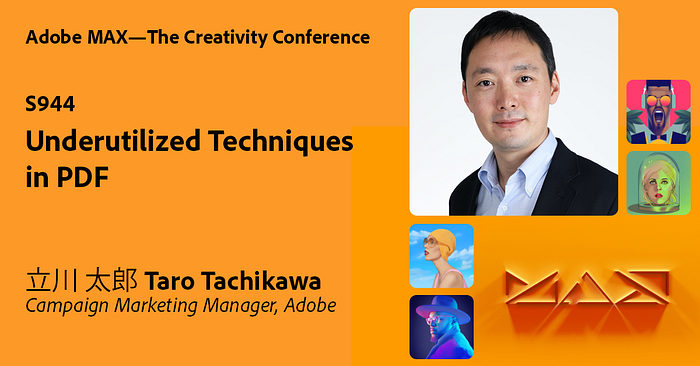
Session ID: S944Times: Wed, Oct 27th 11:00 PM PST — 11:30 PM PST
Taro Tachikawa, Campaign Marketing Manager for Adobe, will be walking through some of the hidden gems that people do not realize you can do with PDF. For many people, they only see PDF as a format of non-editable content. Taro will be showing just how much more you can do with your documents.
Link
Digitalizing Contracts Using Acrobat and Adobe Sign
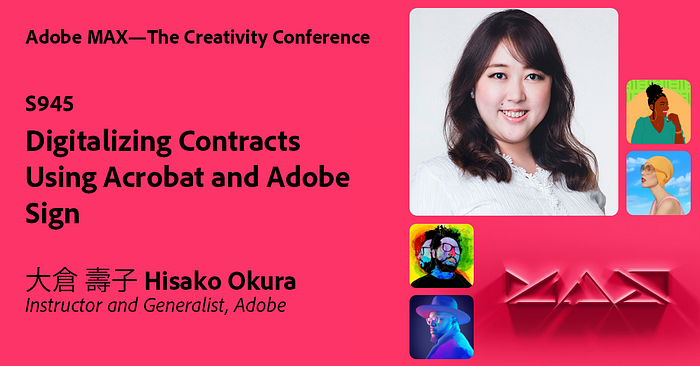
Session ID: S945Times: Thu, Oct 28th 12:00 AM — 12:30 AM PST
In this session, Hisako Okura, Instructor and Generalist at Adobe, will walk through how you can start digitizing contracts using Acrobat and Adobe Sign. Using company stamps or personal seals for signing contracts is inefficient for creative work. With Acrobat DC and Adobe Sign, you can exchange legally valid contracts more simply and easily. This session is a must for organizations looking to digitalize their contract work.
Link
Register now!
You can register for Adobe MAX free now to watch the sessions live. Don’t miss out on the live sessions to ask your questions with experts and also checkout the exclusive guests speakers including Kenan Thompson, Bryan Cranston, Tilda Swinton, Aaron Paul and many many more!