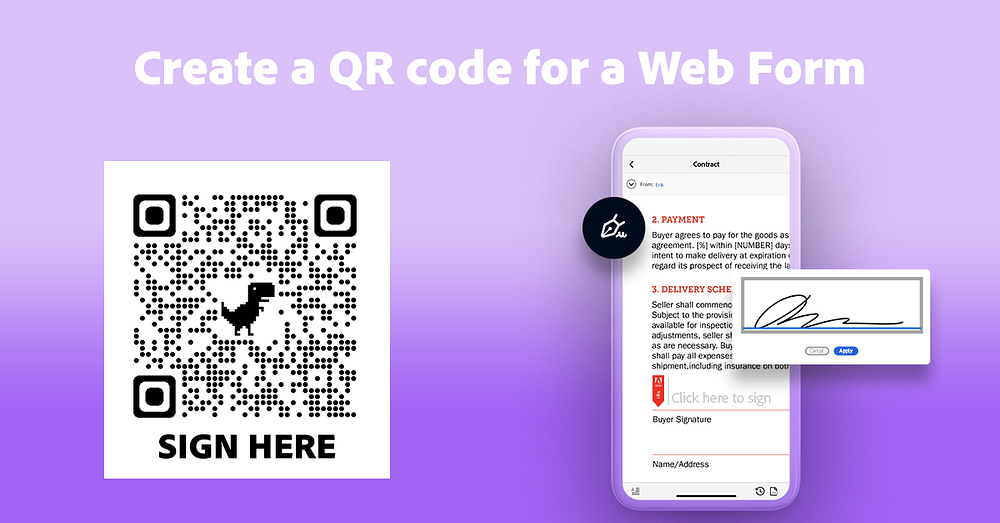
When you walk in to rent a bike, go to a gym, get your car serviced, go to the doctor’s office, undoubtably there are some forms you need fill out. You are handed a clipboard and a clean pen asking you to fill it and sign it, only for you to then key all of that information into a system.
If you have been a restaurant recently, you will notice that many now are not providing paper menus, but instead handing out a laminated card with a QR code on it for you to scan to see the menu on your phone so that they can easily ensure their environment is sanitized.
What if we could do that with all the other paper forms and allow people to just fill the forms on their phone? With Adobe Sign Web Forms you can and make it easy to use wherever you are.
What are Adobe Sign Web Forms?
Adobe Sign Web Forms are self-serve forms that allow you to take any of your paper forms or PDF interactive forms and turn them into interactive online web forms which you can provide via a link or embed directly onto your web page.
How to get started
What you will need:
- Adobe Sign
- Google Chrome
Create your web form
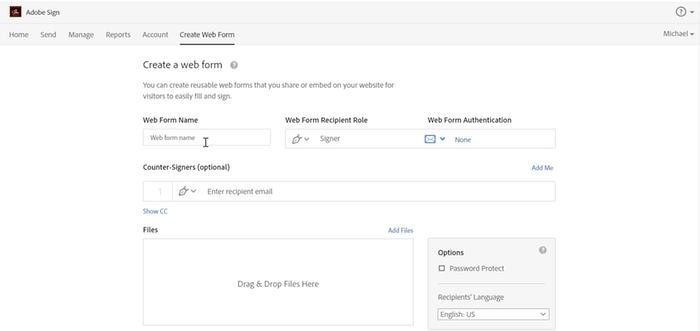
Creating a web form is very easy. There is a very quick 3 minute tutorial to get started. You can use this with any of your forms that are in Word, PDF, or other formats.
Join Medium for free to get updates from this writer.
Remember me for faster sign in
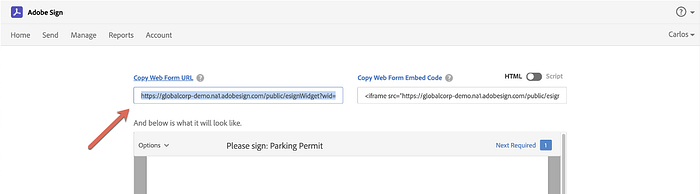
Once you created your web form, copy the Web Form URL and open it in a new tab.
Create your QR code
As of February 2021, Google Chrome now allows you to create QR codes directly within your web browser, making it easy for you to create without any additional tools.
- In your tab with your new Web Form, select the URL in the Address Bar.
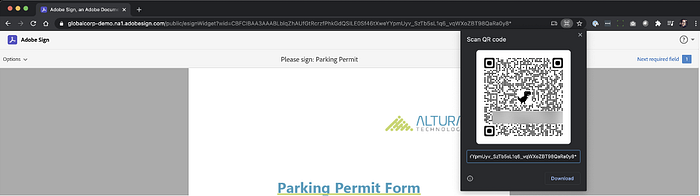
- You will see on the right side a new button to generate a QR code.
- You can now download the QR code to place in your designs, in Word, Google Docs, or wherever and print it out.
Get your form field information
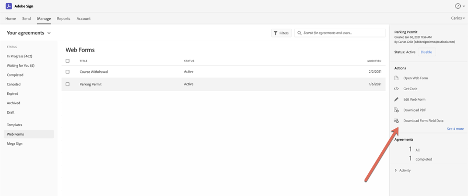
Adobe Sign provides the ability for you to track all of the completions inside the Adobe Sign Manage page. You can even download submissions as a spreadsheet so you don’t have to re-key all that information into another system.
Final Thoughts
Now, the next time a customer walks into a store, you can point to the QR code for them to fill out on their phone. No additional paper required to manage, and you even get the form information in a spreadsheet. Much easier to manage.